
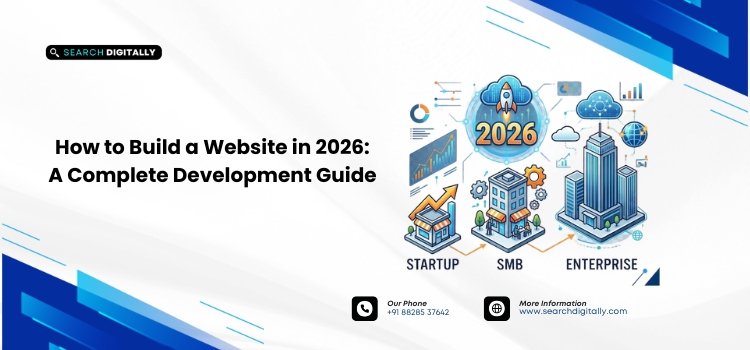
Building a website in 2026 means choosing the right approach for your stage of growth (drag-and-drop builder, CMS, or custom development), then following a structured process: define goals, secure a domain and hosting, plan site structure, design and build, bake in SEO and security, then test and launch. The right path depends on your budget, technical resources, and how complex your operations are.
Key takeaways
- Match your build method to your stage: website builders for speed and simplicity, CMS platforms for flexibility, custom development for complex operations.
- Most website failures come from poor planning, not technical limitations; map user journeys and goals before touching a template.
- SEO and mobile responsiveness need to be planned from day one, not retrofitted after launch.
- A simple template site can launch in days; custom or enterprise builds typically take two to six months.
- Startups commonly begin on a builder or CMS and migrate to custom code later as needs grow.
Why a Strategic Approach Matters in 2026
A website is no longer a static digital brochure. It’s your brand’s primary credibility engine, customer support hub, and marketing platform. Whether you’re a startup validating an idea, a local SMB driving retail traffic, or an enterprise managing a complex digital stack, your site is the only digital real estate you fully control.
This guide walks through the full website development process, from planning through launch, so your project is built for performance, scalability, and conversion.
The 6-Step Website Development Process
Regardless of which platform or budget you’re working with, every successful website follows the same core sequence:
- Define your goals and audience. Decide the one job your site has to do: generate leads, sell products, support existing customers, or build brand credibility. Every design and platform decision should serve that goal.
- Choose a domain and hosting. Pick a short, memorable domain name and a hosting setup that matches your traffic expectations; shared hosting or an all-in-one builder for low-traffic sites, managed or cloud hosting for anything customer-facing at scale.
- Pick your platform. Select between a no-code builder, a CMS like WordPress, or custom development based on your budget, timeline, and how much control you need (see the comparison below).
- Plan your site structure and content. Map out your pages, navigation, and URL hierarchy before writing a single line of content. This is also where you plan keyword targeting and internal linking.
- Design and develop. Build with mobile responsiveness as the default, not an afterthought; most traffic in 2026 is mobile-first, and search engines index the mobile version of your site.
- Build in SEO and security, then test and launch. Set up analytics and conversion tracking, install SSL, test every form and page on multiple devices, and submit your sitemap to Google Search Console before or immediately after launch.
Common Pitfalls to Avoid When Building Your Website
Most business websites fail not because of technical limitations, but because of poor planning. Before selecting templates or writing code, map out your architecture and goals.
Common mistakes during the site-building phase include:
- Failing to define clear user journeys and conversion goals
- Selecting platforms solely on upfront cost, ignoring long-term scalability
- Ignoring responsive web design, which harms mobile traffic conversion
- Skipping SEO planning from day one
Without a roadmap, you risk having to rebuild your site within a year. Understanding a realistic timeline for your build (see the FAQ below) will help keep your project on budget and align your launch expectations.
Startup Website Development: Speed, Validation, and Growth
For early-stage companies, website development needs to prioritize speed-to-market, cost-efficiency, and flexibility. Startups need to establish credibility with investors and early adopters without overspending on custom features that might change in a few months.
- MVP approach: Launch a lean, clean website first, then optimize and expand based on real user behavior data.
- Flexible content management: Choose platforms like WordPress or Webflow that let your marketing team make changes without developer intervention.
- Foundation for analytics: Set up proper tracking, conversion funnels, and on-page SEO from the start to measure what works.
Small Business Website Builder vs. CMS vs. Custom Development
If you’re running a local service business or a simple retail shop, a drag-and-drop builder (Squarespace, Wix, or Shopify) is often the most cost-effective path. These systems bypass extensive coding and come with integrated hosting and security.
When off-the-shelf templates and builders limit your operations, custom development becomes necessary, typically for businesses with specific workflows, bespoke customer portals, or legacy systems requiring integration. The comparison below breaks down which approach fits which stage:
| Factor | Website Builder | CMS (e.g., WordPress) | Custom Development |
|---|---|---|---|
| Best for | Local businesses, simple sites | Growing businesses, content-driven sites | Complex operations, bespoke workflows |
| Setup time | Days | 1-4 weeks | 2-6 months |
| Coding required | None | Minimal (plugins/themes) | Full custom code |
| Flexibility | Low | Medium to high | Highest |
| Typical cost | $ | $$ | $$$ |
Whichever option you choose, ensure it supports custom domain mapping, responsive templates, basic metadata access, and clean site migration, so your site can grow alongside your business.
Enterprise Website Design: Security, Scale, and Governance
At the enterprise tier, web development projects focus heavily on governance, compliance, and infrastructure. Enterprise website design requires coordinating multiple stakeholder inputs while keeping the brand’s digital presence secure and accessible.
Enterprise sites must support multi-region localization, WCAG accessibility compliance, strict data privacy standards (like GDPR), and load-balanced hosting configurations to handle traffic spikes.
Choosing the Right CMS for Your Business
Your team’s daily workflow is heavily defined by your CMS choice. The best platform matches your content creators’ skill levels while giving developers the flexibility they need.
This choice also affects what happens after launch, particularly page speed updates, plugin security, and regular content optimization.
Conclusion
Successfully launching a website in 2026 means matching your development strategy to your current stage of growth. Whether you use a small business website builder for rapid deployment, invest in custom development, or build an enterprise-level site, starting with a clear SEO and user experience plan is key to long-term success.
FAQs
How long does it take to build a website in 2026?
A simple site built on a template-based platform can launch within a few days. Custom web development solutions or complex enterprise website designs typically require two to six months of development, design, and testing.
Can a startup transition from a website builder to a custom site later?
Yes, startups often begin with a standard website builder or CMS to test their business model. As operational complexity, security requirements, and traffic grow, they migrate to custom codebases.
Why is search engine optimization important during the design phase?
Retrofitting SEO onto an already built website is costly and inefficient. Planning your site structure, URL hierarchy, page speed, and mobile responsiveness from day one ensures maximum visibility from launch.
What are the main steps to build a website?
Define your goals and audience, choose a domain name, pick a hosting and platform, plan your site structure and content, design and develop the site, build in SEO and security from the start, then test and launch.
Contact us to discuss your project: support@searchdigitally.com or visit Search Digitally