
Understanding Pre-Built Templates in Web Development
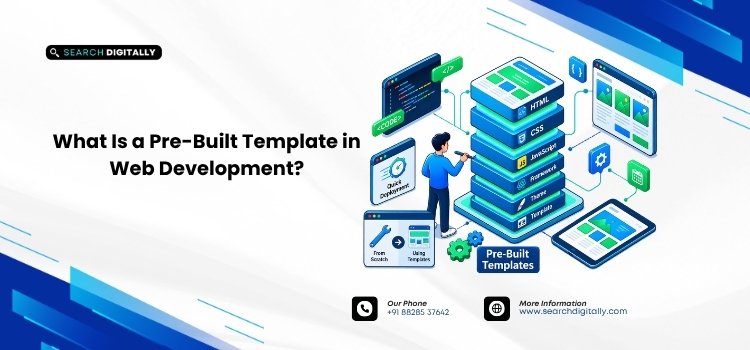
A pre-built template is something you’ve encountered when shopping through a theme marketplace, even if you never did it before you became a developer. Pre-built templates in web development are pre-designed website structures that come with a pre-written layout, navigation, styling, and sometimes even basic functionality, which you can customize with your own logo, content, images, and colours. A design team or business owner starts with a working design, rather than a blank page.
This is important because launch time and cost are typically two of the most critical factors in any web project. Whether it’s procurement teams, engineers, or small businesses, one question is on everyone’s mind: Can we have a working, well-designed site up and running without spending several months on custom development? There are pre-built templates available that will answer this question, and if you understand the actual use, where it works, and where it doesn’t, you won’t end up with a costly rebuild later.
Key Takeaways
- A pre-built template is a website developed with a pre-coded framework that you fill in with your content and branding.
- Templates cut launch time and cost in comparison to fully custom builds.
- They work best for typical business sites, landing pages, and catalogs with consistent requirements.
- A project is more likely to be developed from scratch if it requires a high level of customization, integration with other systems, or a very specific brand identity.
- You can combine the two approaches. Many businesses start with a template and move to custom coding once the website grows too big.
What Is a Pre-Built Template in Web Development?
A pre-built template is a complete front end that comes with page layouts (home, about, product, contact), a styling system, and sometimes built-in sliders, forms, and menus. Popular platforms like WordPress, Shopify, Webflow, and Wix all work this way – and most templates can be found that are mobile- and tablet-responsive, meaning that the site automatically adjusts to display on smaller screens without any additional effort from your team.
The main concept is to reuse. Most web development problems are common to every business website, such as designing a navigation bar, a product grid, and a contact form that actually processes submissions. A pre-built template includes all those solutions, so you don’t have to rebuild them.
How Pre-Built Templates Work in Practice
When a business picks a template, the typical workflow looks like this:
- Select the appropriate template for the specific site (corporate site, ecommerce site, portfolio site, service site)
- Install it on the target CMS or builder platform
- Swap in the brand’s logo, color palette, and fonts
- Replace placeholder text and images with real content
- Configure built-in features such as contact forms, blogs, or product catalogs
- Test on multiple devices before going live
This is because the underlying code is written and tested beforehand, making it faster to complete in days rather than months. That is the main appeal for teams that need to be online quickly.
Pre-Built Templates in Web Development: The Real Benefits
Though the primary benefit is speed, it’s not the only one most businesses consider with this route.
Lower upfront cost. The design and base functionality are already there, and you are paying for customization and content, not the entire engineering process of building from scratch.
Quickest time to market. A template-based site is often ready to go in days. For campaign pages, seasonal offers, or when you need a professional web presence fast, that turnaround is hard to beat with custom development.
Tested, stable foundations. Popular templates have usually been used on thousands of live sites already. A large user base tends to discover and correct initial user bugs and simple usability problems quickly.
Easier ongoing management. Many templates come with visual builders that let non-technical users change text, swap images, or add a page without editing code.
Where Pre-Built Templates in Web Development Fall Short
None of this means templates is the best choice for every project. As a business grows, some restrictions become apparent.
Templates limit your design creativity once you hit a wall. Colors, fonts, and content are easily changeable, but reshaping the underlying layout or introducing a workflow the template wasn’t designed to accommodate becomes difficult quickly and can become a battle with the platform instead of an effort to build on it.
It can also impact performance. Many templates include features, scripts, and styling that most sites will never utilize. This unused code loads in the browser, which can affect page speed if it isn’t removed.
Two businesses based on the same theme can look alike, which is more important for a brand that relies on its visual identity to cut above the noise in a crowded market.
Last but not least, when integration requirements increase (custom CRM connections, non-standard checkout flows, unique data workflows), template platforms reach their limits long before a custom-built architecture does.
Pre-Built Templates vs. Custom Development
| Factor | Pre-Built Template | Custom Development |
| Typical launch time | Days to a couple of weeks | Weeks to several months |
| Upfront cost | Lower | Higher |
| Design uniqueness | Limited, shared with other template users | Fully brand-specific |
| Scalability for complex features | Limited beyond a point | Built to scale with the business |
| Best suited for | Standard sites, landing pages, small catalogs | Businesses with specific workflows or long-term growth plans |
When Should You Choose a Pre-Built Template?
A pre-built template is typically the best choice when:
- You must get it up and running fast and can’t wait weeks for a custom build.
- It has standard requirements: a homepage, service pages, a contact form, and possibly a blog.
- The budget is tight, and we need a professional presence up and running.
- The project has a set timeline, like an event or campaign microsite.
Custom development becomes more useful once the business has outgrown “standard”. When you’re building a brand that needs a unique look, feel, or you are running a growing catalog or multiple internal systems, you will likely find that the constraints of a template outweigh the initial savings. If you’re unsure how much time a custom build would take compared to a template launch, it helps to look at what actually goes into building a website from start to finish before committing either way.
Making Pre-Built Templates Work Better for Your Business
If you choose the template option, some practices will bring the site closer to the custom site feel:
- Select a template for a template on a well-supported, current framework rather than an outdated one
- Eliminate any components, scripts, and sliders that aren’t needed and don’t add value to the load time.
- Moderately alter typography, spacing, and imagery so that the site does not appear to be a stock layout.
- Create your content structure before working with the template to avoid fitting pages into parts that are incorrect or inappropriate.
For larger organizations considering this choice alongside a wider platform selection, it may be beneficial to consider enterprise-grade website development versus a standard template, especially for governance, integrations, and long-term maintenance. WordPress is still one of the most popular template-based platforms, and its theme documentation is a great resource for understanding how templates are organized.
Conclusion
In web development, a pre-built template is a pre-made system of layout and styling that you modify and customize with your own content, designed to address one problem: building your website quickly and on budget. It suits typical business pages, campaign pages, and teams without the time or resources to build a custom site. It’s less effective when a business needs customization for deeper integration or a brand image that differs from other websites using the same theme. The right choice isn’t necessarily the “best” one, but it depends on where your project stands right now in terms of speed and specificity. Many teams don’t have to decide right away, because it’s common and practical to launch on a template and move to custom code later. After your new site is up and running, whatever you choose, it is worth reviewing what should happen after a website goes live so the launch is not treated as the finish line.
FAQs
Q1. Is a pre-built template in web development the same as a website builder?
Not exactly. A website builder is the tool (like Wix or Squarespace) used to edit a site. A pre-built template is the specific pre-designed layout you load into that tool, or into a CMS like WordPress. You can use templates without a drag-and-drop builder, and some builders let you start from a blank canvas instead of a template.
Q2. Can a pre-built template be customized to look unique?
Yes, to a point. You can usually change colors, fonts, imagery, spacing, and content freely. Restructuring the core layout or adding functionality the template wasn’t designed for is harder, and heavy customization can end up costing close to a custom build.
Q3. How do I know if my business needs a custom website instead of a pre-built template?
If your requirements are standard (a homepage, a few service or product pages, a contact form), a template is usually enough. If you need non-standard integrations, a highly specific user journey, or a brand identity that has to be visually distinct from competitors, custom development is worth the added time and cost.
Choosing between a pre-built template and a custom build depends on your timeline, budget, and how much your site needs to scale. If you want a second opinion on which approach fits your project, get in touch with our team, and we will walk you through the options.