
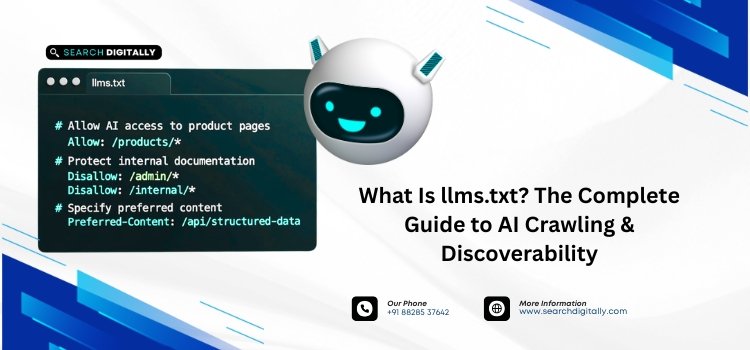
llms.txt is a plain-text Markdown file placed at the root of a website (e.g., yourdomain.com/llms.txt) that gives AI models like ChatGPT, Claude, and Perplexity a curated summary of a site’s most important pages, so they can understand and cite the content more accurately. It works alongside, not instead of, robots.txt and sitemap.xml.
Key takeaways
- llms.txt is a Markdown file at your site’s root that summarizes key pages for AI models.
- It’s proposed by Jeremy Howard of Answer.AI in 2024, not an official web standard, and not adopted or confirmed by Google as a ranking signal.
- It doesn’t affect traditional SEO rankings, but early evidence suggests it can improve citation accuracy in AI assistant answers (GEO).
- It’s different from robots.txt (crawl control) and sitemap.xml (full URL list); llms.txt is a curated shortlist, not a directive file.
- Documentation-heavy and SaaS sites see the clearest benefit today; e-commerce adoption is still early.
What Does llms.txt Stand For?
llms.txt stands for “Large Language Models .txt.” It was proposed in September 2024 by Jeremy Howard, co-founder of Answer.AI, as a lightweight way to help AI systems navigate a website without parsing full HTML pages, ads, and navigation menus.
Unlike a webpage built for human visitors, llms.txt strips everything down to links, short descriptions, and context: the minimum an AI model needs to understand what a site offers and which pages matter most.
What Does an llms.txt File Actually Look Like?
Here’s a simplified real-world example, in the actual format AI crawlers expect:
That’s the entire format: an H1 with the site/company name, a one-line blockquote summary, and Markdown-linked sections grouping pages by priority. No scripts, no styling, no ads.
How Does an AI Model Use an llms.txt File?
When an AI crawler visits a site, it can check for /llms.txt before deciding how to process the rest of the site. If present, the file lets it:
- Understand the site’s purpose in one pass, without crawling every page
- Prioritize high-value pages (docs, pricing, key services) over low-value ones (legal boilerplate, old archives)
- Reduce the chance of citing outdated or irrelevant content
- Process a site using far fewer tokens than parsing raw HTML
This matters most for technical and documentation-heavy sites. AI coding agents like Cursor, GitHub Copilot, and Claude Code lean on structured docs to generate accurate suggestions, which is why llms.txt for SaaS and developer documentation tends to show the clearest early benefit.
llms.txt vs. robots.txt vs. sitemap.xml: What’s the Difference?
These three files sound similar but serve different audiences and different jobs:
| Factor | robots.txt | sitemap.xml | llms.txt |
|---|---|---|---|
| Primary audience | Search engine crawlers | Search engine crawlers | AI models and assistants |
| Format | Directive syntax | XML structure | Plain-text Markdown |
| Function | Allows/blocks crawler access | Lists all indexable URLs | Curates the most important pages with context |
| Goal | Crawl control | Search indexing coverage | Accurate AI understanding and citation |
For a full breakdown of when you need all three, see llms.txt vs. robots.txt vs. sitemap.xml: What’s the Difference?
Does llms.txt Improve Google Rankings or AI Citations?
No confirmed effect on Google rankings, but a measurable effect on AI citation quality. Google has not confirmed llms.txt as a ranking factor, and no major search engine currently uses it to influence traditional SERP position. Where early data does show a difference is in Generative Engine Optimization (GEO): the accuracy and frequency with which tools like ChatGPT, Claude, and Perplexity cite a site when answering user questions.
In short: treat llms.txt as an AI-visibility investment, not an SEO ranking tactic. For the data behind this, see does llms.txt improve SEO or AI citations?
When Do You Need llms-full.txt Instead?
llms-full.txt is the extended version of llms.txt. Instead of links and short descriptions, it includes the full flattened content of key pages in one file. Sites with large documentation sets or product catalogs often need both: llms.txt as an index, llms-full.txt as the complete reference. See when you need llms-full.txt instead for guidance on which one fits your site.
Should E-Commerce Sites and Enterprises Use llms.txt?
Yes, though adoption is earlier here than in SaaS. As AI shopping assistants become more common, online stores are starting to use llms.txt to guide product recommendations and prevent AI tools from citing outdated pricing or discontinued products. See llms.txt for e-commerce: should online shops use it? for the tradeoffs.
How Do You Create an llms.txt File?
At a minimum:
- Create a plain-text file named
llms.txt - Add an H1 with your site or company name
- Add a one-line blockquote summarizing what the site does
- List your most important pages as Markdown links with a short description each
- Upload the file to your site’s root directory (e.g., yourdomain.com/llms.txt)
For the full step-by-step process, including common formatting mistakes, see how to create an llms.txt file and common llms.txt mistakes and how to avoid them.
Conclusion
llms.txt won’t move your Google rankings, but it’s a low-cost way to control how accurately AI assistants understand and cite your site. For documentation-heavy and SaaS businesses especially, it’s a small file with an outsized effect on how you show up in AI-generated answers.
FAQs
What is the llms.txt full form and where is it placed on a website?
llms.txt stands for “Large Language Models .txt.” It’s placed at the root domain (e.g., yourwebsite.com/llms.txt), in the same location as robots.txt.
Does llms.txt replace robots.txt or sitemap.xml on my website?
No. llms.txt works alongside robots.txt and sitemap.xml, not as a replacement. robots.txt controls crawler access, sitemap.xml lists indexable pages, and llms.txt curates a short list of high-value pages specifically for AI models.
Does llms.txt improve Google rankings?
No. Google hasn’t confirmed llms.txt as a ranking factor. Its measurable benefit is in how accurately AI assistants like ChatGPT and Claude cite your content, not in traditional search position.
How do I create an llms.txt file?
Create a plain-text file named llms.txt with an H1 (your site name), a one-line summary, and Markdown links with short descriptions to your key pages, then upload it to your root directory.
Need help executing your llms.txt setup or improving your site’s AI discoverability? Contact our digital growth team at support@searchdigitally.com.